
Overview
The Download Manager in Followup CRM is a central place to:
- Schedule report exports
- Manage delivery settings
- Track report activity and status
- Control subscriptions and recurring reports
It gives you full visibility and control over how reports are generated and delivered.
Step-by-Step Instructions
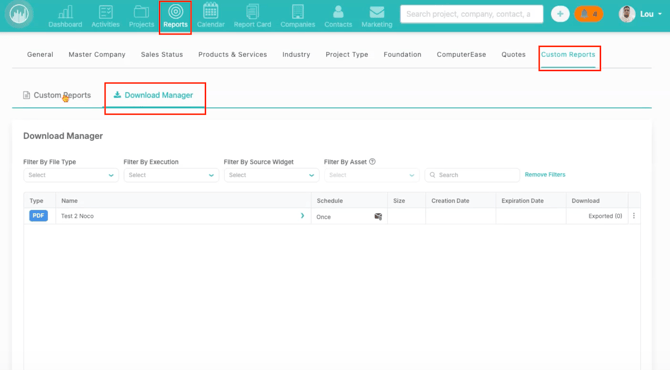
1️⃣ Access the Download Manager
- Go to Reports
- Click Custom Reports
- Select Download Manager
This is where all report exports and schedules are managed.
2️⃣ Export a Report
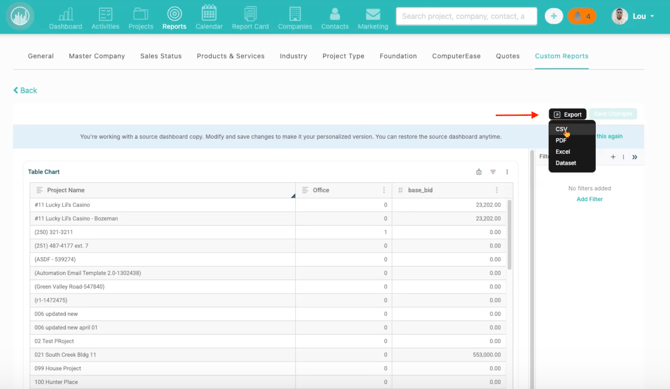
- Open a custom report
- Click the Export button
- Choose a file format (e.g., PDF, Excel)
This allows you to generate a downloadable version of your report.
3️⃣ Create a Scheduled Export
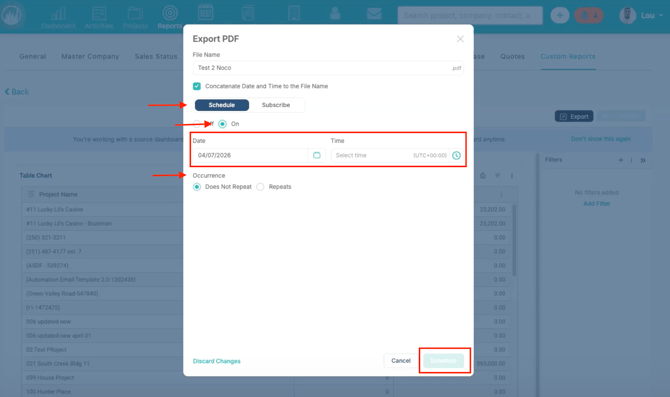
- Click Schedule from the report
- Set your desired time and frequency
- Save your schedule
This creates a delivery job for the report.
4️⃣ View Scheduled Reports in Download Manager
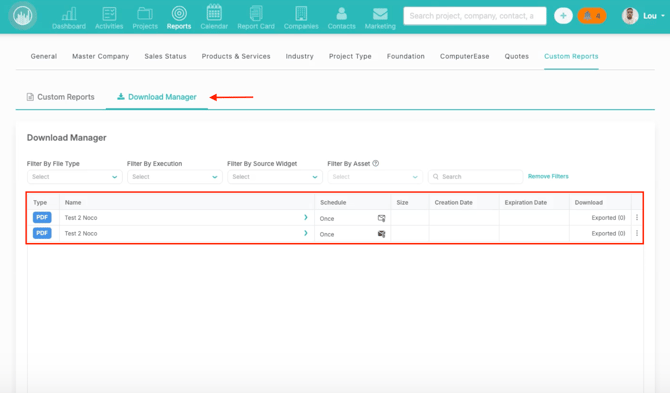
- Go back to Download Manager
- Locate your scheduled export
You’ll see details such as:
- 📄 Report name
- 📁 File type
- ⏱️ Schedule timing
- 📊 Status
This confirms the schedule was created successfully.
5️⃣ Understand Schedule vs. Subscribe
- ⏱️ Schedule
- Sends a report at a specific time
- Can be one-time or recurring
- 🔁 Subscribe
- Sends reports automatically to selected recipients
- Ideal for ongoing distribution
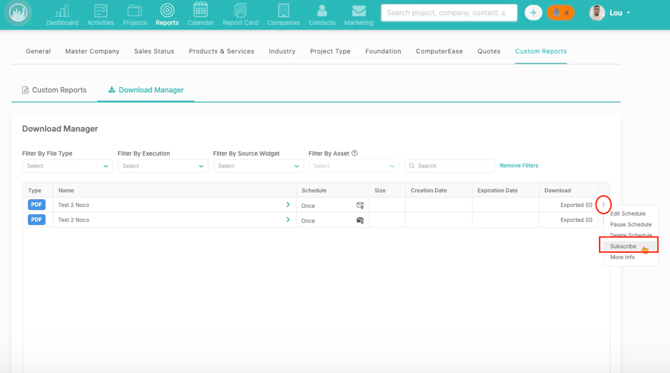
6️⃣ Manage Scheduled Exports
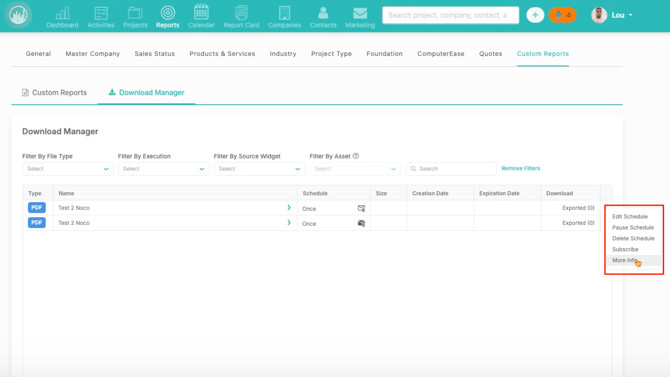
From the Actions menu in each row, you can:
- ✏️ Edit schedule
- ⏸️ Pause schedule
- ❌ Delete schedule
- 🔁 Subscribe users
- ℹ️ View more details
This allows you to fully manage report delivery without recreating the report.
✅ Result
With Download Manager, you can:
- Schedule and automate report exports
- Track report delivery status
- Manage recurring reports and subscriptions
- Control everything from one central location
Happy Selling!